
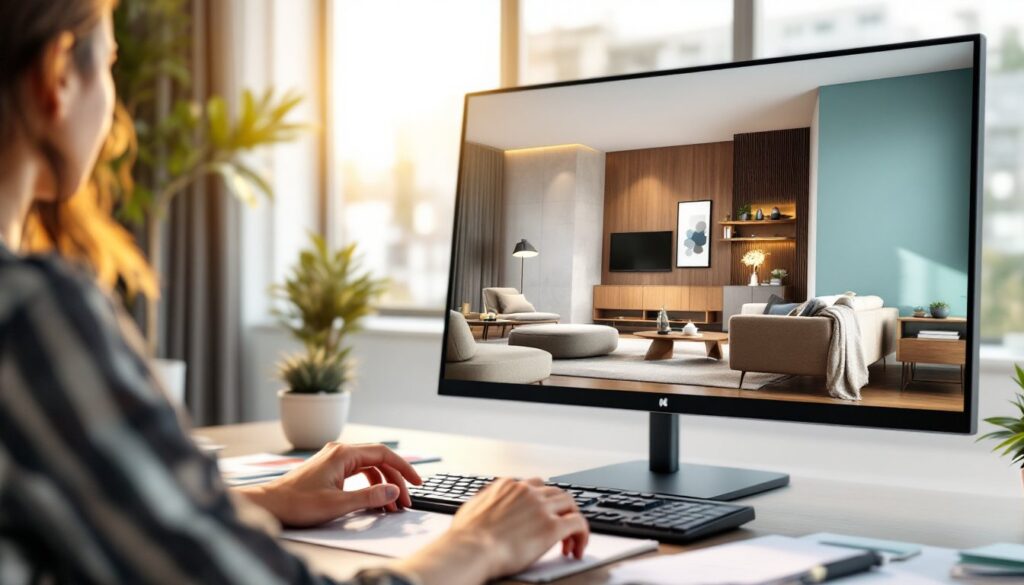
Interior design rendering software has transformed how designers and homeowners visualize spaces before a single board is nailed or paint brushed applied. These tools take 2D floor plans and turn them into photorealistic 3D environments, letting you see exactly how that bold accent wall plays with natural light or whether the furniture layout actually functions. For DIYers tackling significant home redesigns, professionals pitching clients, or anyone wanting to see the finish line before starting, rendering software removes costly guesswork. The market has exploded with options, from heavy-duty professional platforms to straightforward apps that run on a laptop, each solving different problems. This guide walks through what rendering software actually does, which features matter most, and which platforms fit different skill levels and budgets.
Key Takeaways
- Interior design rendering software transforms 2D floor plans into photorealistic 3D visualizations, helping you catch design problems and avoid costly mistakes before renovation projects begin.
- Essential features include material libraries with real-world finishes, advanced lighting controls that simulate natural and artificial light, and export options for presentations and professional collaboration.
- Professional-grade tools like SketchUp + V-Ray and Lumion justify their cost for serious home renovations and client presentations, while user-friendly alternatives like Homestyler and Planner 5D work well for quick layout ideas and renters.
- Match your rendering software choice to your project scope—free tools for testing layouts, mid-range options for home renovations, and premium platforms if you’re a designer pitching clients.
- Always start with free trials before committing to interior design rendering software, as workflow compatibility and ease of use vary significantly between platforms.
What Is Interior Design Rendering Software?
Interior design rendering software takes your room dimensions, finishes, and furnishings and generates photorealistic 3D images, sometimes called renders or visualizations. Think of it as building a digital scale model you can walk through from any angle.
These tools typically start with either a blank canvas or an imported floor plan (often a PDF or image from your home’s blueprints). You define walls, add windows and doors, and drop in furniture, lighting, and materials. The software then calculates how light bounces off surfaces, creates shadows, and blends colors to show you what the finished space will actually look like.
What sets rendering software apart from basic room planners is the photorealism, high-end tools use physics-based rendering engines to simulate real-world lighting and material behavior. A 3D sketch tool might show you cabinet placement: a true renderer shows you whether that walnut finish looks warm or cold under your existing ceiling lights. This matters for major projects where mistakes are expensive. You’re not guessing whether that seafoam tile works: you’re seeing it.
Key Features to Look For in Rendering Solutions
Not all rendering software is created equal. Knowing which features solve your actual problem saves frustration and money.
Material and Finish Libraries: A robust software includes built-in collections of real-world materials, paints, flooring, tile, wood types, fabrics. Instead of guessing what “light oak” looks like in your room, you apply an actual manufacturer sample. Check whether the software lets you import your own textures or links to catalogs from suppliers like Benjamin Moore or Sherwin-Williams.
Lighting Control: Interior spaces live and die by light. Look for tools that simulate natural daylight at different times of day and seasons, plus control over artificial lighting type, intensity, and color temperature. Poor lighting simulation is why some renders look nothing like the real room.
Ease of Use vs. Power: Professional-grade renderers like V-Ray or 3DS Max are brutally powerful but require serious learning. Consumer-friendly tools sacrifice some control but get you results faster. Decide whether you’re investing weeks in mastering software or want results this weekend.
Export and Presentation: Can you generate high-resolution images for printing or client presentations? Does it create walkthrough videos? Can you export to formats your architect or contractor understands (IFC, STEP)? These details matter for collaboration.
Real Pricing, Not Surprise Tiers: Some software is truly free: others have free versions with crippling watermarks or export limits. Check subscription costs and whether add-ons (libraries, premium materials) cost extra before committing.
Top Interior Design Rendering Software Platforms
Professional-Grade Tools
SketchUp + V-Ray: SketchUp is the gold standard for architects and serious designers, it’s fast, intuitive, and plays nice with professional workflows. On its own, SketchUp’s rendering is decent. Pair it with V-Ray (a dedicated rendering engine), and you get photoreal output that rivals six-figure renderers. The catch: SketchUp has a learning curve, and V-Ray requires monthly subscription (around $50–100 depending on license type). This combo is overkill for a single bedroom refresh but justified for full home redesigns or if you’re billing clients.
Lumion: Lumion focuses on speed and beauty with minimal fiddling. You import your model (from SketchUp, Revit, Archicad, or built-in tools), drop in a landscape, adjust lighting, and generate renders in minutes, not hours. The learning curve is shallow, which is why many interior designers who aren’t 3D modeling experts choose it. Subscription runs roughly $200–400 per month, and there’s a generous free trial. It’s ideal if you want professional results without becoming a 3D artist.
Vray (standalone): For someone who already knows 3D software, V-Ray standalone is industry standard. It renders faster than most competitors and handles complex materials beautifully. Budget $50–100/month, but expect a steep learning curve if you’re new to rendering.
User-Friendly Alternatives
Homestyler: Homestyler is free or freemium and leans toward simplicity. You drag furniture and decor into rooms, adjust colors, and see results immediately. No complex 3D modeling knowledge needed. Renders are decent for consumer projects, though not quite photorealistic. It’s genuinely free to start, with optional premium upgrades around $5–15 per month. Best for renters, quick iterations, or testing ideas before hiring a designer.
Floorplanner: Floorplanner does 2D floor plans and basic 3D visualization. It’s browser-based, free to start, and integrates with furniture catalogs like IKEA. The 3D output won’t fool anyone into thinking it’s a photograph, but it shows spatial relationships and furniture fit clearly. Use this to verify your measurements and layout before buying anything.
Planner 5D: Planner 5D bridges the gap, it’s far easier than SketchUp but more capable than Homestyler. You can model rooms, add textures, and generate decent renders for under $10/month (or free with watermarks). Popular with budget-conscious DIYers and small design practices.
How to Choose the Right Tool for Your Projects
Your best choice depends on three things: what you’re designing, how much time you have, and your budget.
For Quick Ideas or Rentals: Use Homestyler, Planner 5D, or Floorplanner. You’ll verify layout and get a sense of finish colors without dropping hundreds on software. These tools excel when you’re problem-solving (“Does this sectional fit?”) rather than creating presentation-ready renders.
For Serious Home Renovations: SketchUp + V-Ray or Lumion earn their cost through confidence. You’re about to spend $10k–50k on renovations: spending $500 upfront to see exactly what you’re building prevents expensive changes mid-project. Both tools let you generate multiple design options and compare them side-by-side.
If You’re a Designer or Contractor Pitching Clients: Lumion is your fastest path to impressive renders. It’s expensive, but clients expect photorealism, and Lumion delivers without requiring you to become a 3D modeling expert. If you already know 3D software (Revit, Archicad, Rhino), V-Ray standalone or 3DS Max give you more control.
For Learning or Future-Proofing: SketchUp is the sensible choice. It’s widely used, has massive online communities and tutorials, and scales from simple room sketches to full building models. Many contractors and architects use it, learning SketchUp means you’ll eventually understand drawings from professionals too.
Start with a free trial. Every platform mentioned here offers one. Spend an hour modeling your actual project, not a pretend room. That’s the only way to know if the workflow clicks for you.
Conclusion
Interior design rendering software erases the gap between imagination and reality. Whether you’re testing a layout, picking finishes, or pitching clients, these tools save time and money by catching problems before they happen. Start with your budget and skill level, a free tool that you actually use beats expensive software collecting dust. Render early, iterate, and build with confidence.